The short answer: the best long distance relationship apps aren't one app — they're a small stack, and you already own half of it. Every LDR couple needs four layers: a way to talk, a way to do things together, a place for shared logistics and memories, and the layer almost every guide skips — ambient presence, meaning you know how your person is doing between calls, across time zones, without either of you scheduling anything. This guide assembles the full 2026 stack layer by layer, and spends the most time on the one you're probably missing.
Why most lists of long distance relationship apps don't help
Search "best apps for long distance couples" and you'll get twenty nearly identical listicles: fifteen apps, two sentences each, no opinion. The problem isn't that the apps are bad. It's that they do completely different jobs, and a ranked list flattens them into rivals. A video-call app doesn't compete with a countdown widget any more than your fridge competes with your oven. The useful question isn't "which app is best?" It's "which job in our relationship is currently uncovered?" So: a stack.
Layer 1: Talking (you already have this one)
FaceTime, Google Meet, WhatsApp — the call layer every long distance couple already runs on, and as of mid-2026 there's no reason to switch. Video calls are the deep end of connection: high-bandwidth, wonderful, and genuinely hard to schedule when one of you is winding down as the other's alarm goes off. Keep whatever you use. Nothing below replaces it; everything below exists because you can't live inside a call.
Layer 2: Doing things together
Teleparty-style watch-together tools cover the shared-activity layer: the same show, synced, with a chat running down the side. This layer converts "calls about our days" into "things we actually did together," and couples who keep a weekly episode running have a standing date that survives distance. Optional, but worth it.
Layer 3: Shared logistics and memories
Between is the fixture of this category for a reason: a private space for two with chat, a shared calendar, anniversaries, and photo storage. If your countdown math, plans, and favorite photos are scattered across six apps, Between genuinely wins this layer — it earns its spot on every LDR list. What it doesn't have, as of mid-2026, is a mood layer. It holds what you did and what you're planning; it says nothing about how either of you is doing right now.
Layer 4: Ambient presence (the layer most couples are missing)
Here's the LDR problem no listicle names. Calls are peaks — you hang up knowing everything about each other's day. Then twenty hours pass in which you know nothing. When time zones don't line up, it's worse: your 9 p.m. is their 6 a.m., their rough afternoon happens while you're asleep, and by the time you hear about it, it's history. When people ask how to stay emotionally connected long distance, this gap is what they're really asking about — not the calls, the hours between them.
Ambient presence is the low-effort layer that keeps you in each other's peripheral vision through those hours. A few kinds of apps try to fill it, and they're not equal.
Distance widgets show miles. Mood widgets show meaning.
The classic distance apart widget — Widgetable made the format popular — puts the mileage between you on your home screen. Sweet, but static: the number only changes when someone travels. Locket puts live photos on your home screen, which is lovely for faces and silent on feelings. One-tap buzz apps in the tap ME and HeartPing style send a single "thinking of you" ping — a warm micro-moment, but one signal can't distinguish "rough day, need you" from "great news, call me." A widget long distance relationship setup earns its home-screen slot when what it displays changes with your partner's actual day. That's a mood widget: it shows the weather inside their head, not the geography between you.
💡 The insight
Distance makes emotions invisible by default. A couple sharing a kitchen reads the sigh at the door for free; a long distance couple has to send every signal deliberately. The winning stack makes that deliberate signal cost one tap — not one more scheduled call.
How to build the ambient layer with Hueband
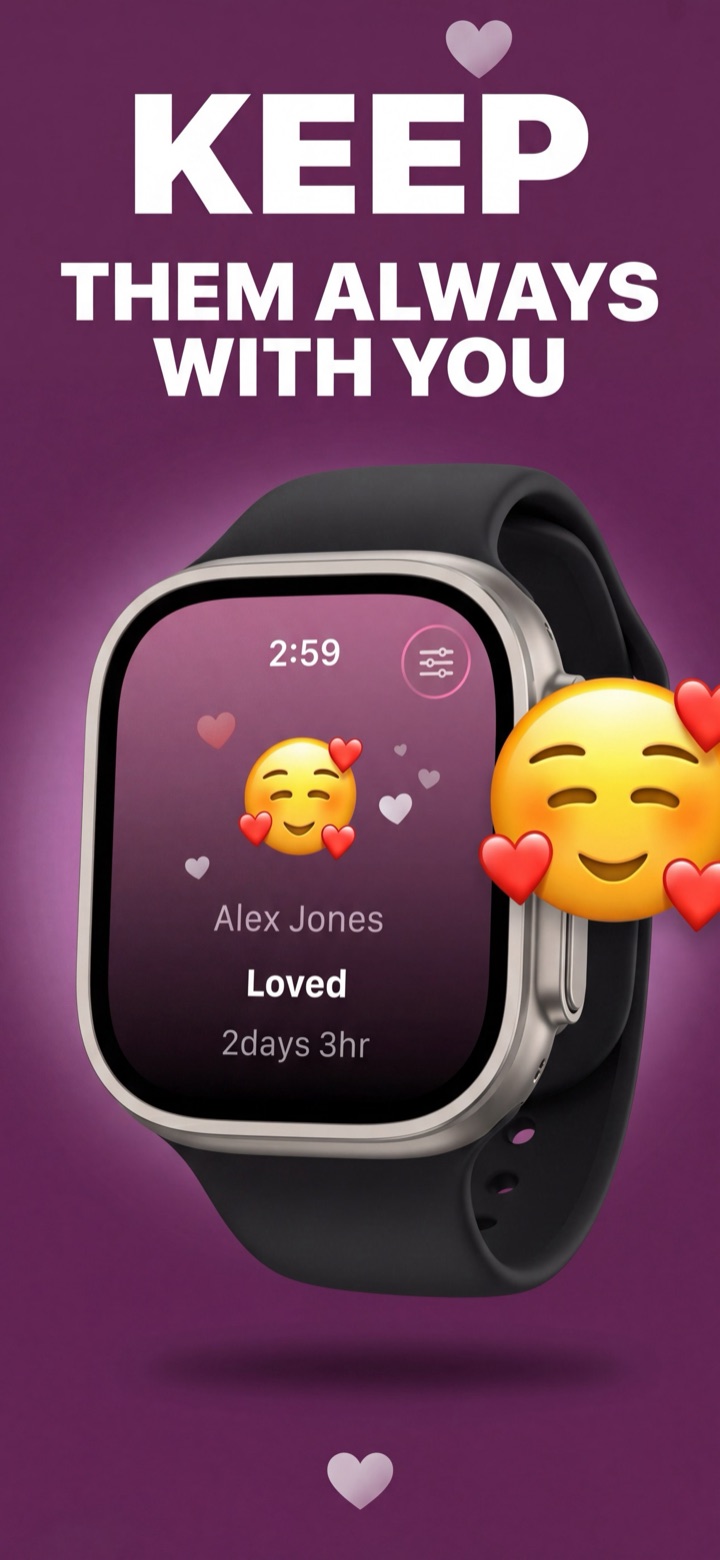
Hueband is a private mood-sharing app for couples, built for exactly this layer. Here's the setup:
- Pair privately. Connect with a one-time invite code. No feed, no followers, no ads on your feelings — it's just the two of you (you can add small private circles for family or friends later).
- Tap how you feel, when you feel it. One tap from 20 preset moods, or custom moods you invent together — any label, emoji, and color.
- Put their mood where your eyes already go. iPhone lock-screen and home-screen widgets, Android home-screen widgets, an Apple Watch app with a watch-face complication, and a standalone Wear OS app with a Tile and complication. Their check-in lands within seconds, whatever time zone it comes from — their 3 p.m. slump reaches your wrist at your 11 p.m., no call required.
- Add the story behind it. An optional 140-character note — "Presentation moved up. Wired but okay." — gives context your partner reads when they wake up. Asynchronous by design, which is the whole point when your schedules never overlap.
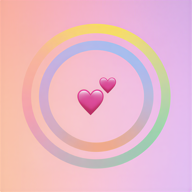
- End the week with a shared artifact. The weekly mood ring draws two rings — outer is you, inner is them — with a couple sync score and a per-day breakdown. Your Sunday call agenda writes itself: "Wednesday looked heavy. What happened?"
Two practical notes for LDR couples. Hueband works across mixed iPhone-Android relationships, so nobody has to switch phones for the widget to work. And one subscription covers both partners automatically — if one of you goes Pro ($8.99/month or $34.99/year), the other gets it too, which matters when your app budgets live in different currencies. The free tier includes 5 check-ins a day each, plenty for a morning-and-night rhythm.
The 2026 stack, assembled
- Talk: FaceTime, Google Meet, or WhatsApp — keep whichever you already use.
- Do: a watch-together tool for a standing weekly date.
- Organize and remember: Between for the calendar, countdowns, and photo vault.
- Feel: Hueband for ambient mood presence on phones, watches, and widgets.
Honest closing note: you don't need all four on day one. Every couple already has Layer 1, and plenty are happy with calls plus a shared calendar. But if the miles feel heaviest in the quiet hours between calls, Layer 4 fills the biggest emotional gap for the least effort — about one tap a day. Rituals help too; here's a daily check-in that takes five seconds.
Common questions
What are the best apps for long distance couples in 2026?
Think in layers instead of rankings: a call app you already use (FaceTime, Google Meet, or WhatsApp), a watch-together tool for shared activities, Between for shared calendars and memories, and Hueband for ambient mood presence on your phones, watches, and widgets. Cover the four jobs; skip apps that duplicate a layer you already have.
What is a distance apart widget, and is it worth it?
It's a home-screen widget showing the miles between you. Sweet, but static — the number only changes when someone travels. A mood widget changes with your partner's actual day, so it earns far more glances. If you only keep one widget, keep the one that tells you how they're doing, not how far away they are.
How do you stay emotionally connected long distance across time zones?
Add an ambient layer that doesn't require you both to be awake. Hueband check-ins sync within seconds whenever each of you is up, the optional note carries the story behind a mood for your partner to read at their next glance, and the weekly ring with its sync score gives your next call a shared starting point.